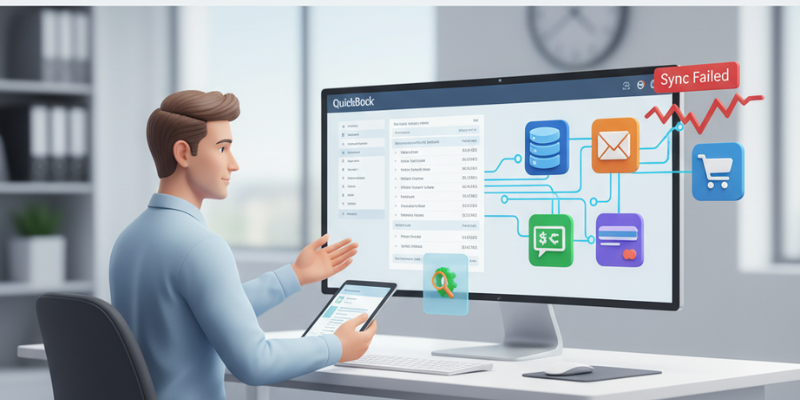
QuickBooks Desktop allows businesses to connect with various 3rd party applications such as CRMs, eCommerce platforms, payroll software, and inventory tools. These integrations make business management easier — until something goes wrong. At times, users encounter QuickBooks integration errors when syncing data between QuickBooks and connected applications. You may see messages like:
QuickBooks failed to connect with the application.
An unexpected error occurred while communicating with QuickBooks.
QuickBooks error 80040408 or 80029c4a while syncing with third-party app.
These errors typically occurs due to communication breakdowns, outdated SDK components, or damaged QuickBooks Web Connector files. In this article, we’ll explore the most common integration errors, why they occurs, and how you can fix them step-by-step. Thus, keep read on!
What are the Common QuickBooks Integration Errors?
Below are some of the most frequent errors users face while connecting or syncing third-party apps with QuickBooks:
QuickBooks Error Codes and Descriptions
Error Code / Message
Description
QuickBooks Error 80040408
QuickBooks cannot start or connect to the company file during integration.
QuickBooks Error 80029c4a
Integration fails due to missing or corrupted system files.
QuickBooks Sync Manager Error
Occurs when QuickBooks Sync Manager stops working or becomes outdated.
Web Connector Error QBWC1085
QuickBooks Web Connector log file is missing or damaged.
QuickBooks Error 80070057
App cannot access the company file due to permission issues.
QuickBooks SDK Connection Error
Outdated or corrupted SDK prevents communication with the third-party app.
These errors interrupt data synchronization, delay processes, and may even lead to data inconsistencies between QuickBooks and the external application.
Why QuickBooks Integration Errors Occur?
There are multiple factors that can disrupt integration between QuickBooks and connected apps. Below are the most common causes:
The Web Connector is responsible for facilitating communication between QuickBooks Desktop and integrated apps.
If it becomes corrupted or outdated, sync operations fail.
Third-party apps require the latest QuickBooks SDK (Software Development Kit) to work properly.
If QuickBooks Desktop or its SDK isn’t updated, you may face compatibility issues.
Incorrect login details or misconfigured connection settings within the app can cause QuickBooks to deny access.
A corrupt or oversized company file may prevent successful data transmission between QuickBooks and the external app.
Security software may block the ports or processes required by QuickBooks to communicate with other applications.
Here you need to browse and select your company file (Damaged/Corrupted File).
Choose Check your file and network and tap on Continue.
Lastly, enter your QuickBooks Admin password and click Next.
Once the repair is complete, try syncing your app again.
Fix 5: Configure Firewall and Security Settings
If your firewall or antivirus blocks communication between QuickBooks and the app, follow these steps:
Open Windows Defender Firewall and Allow an app through firewall.
Then make sure QuickBooks, QuickBooks Web Connector, and Database Server Manager are allowed for both private and public networks.
Add inbound/outbound rules for QuickBooks ports:
8019, 56728, 55378–55382 (depends on QuickBooks version).
Restart your system.
Fix 6: Use the QuickBooks Tool Hub to Resolve Program Problems
QuickBooks Tool Hub includes multiple utilities to fix integration-related errors.
Open QuickBooks Tool Hub and navigate to the Program Problems.
Then select Quick Fix my Program to close background processes and refresh program components.
Once done, relaunch QuickBooks and test the integration.
Prevention Tips for Smooth QuickBooks Integrations
To avoid future integration errors and sync failures, follow these preventive measures:
Keep QuickBooks Desktop and third-party apps updated.
Always use the latest version of QuickBooks Web Connector.
Avoid running multiple versions of QuickBooks on one system.
Schedule regular company file maintenance using the Verify and Rebuild Data utility.
Add QuickBooks to the firewall and antivirus exclusion list.
Use stable network connectivity when syncing large data.
Conclusion
QuickBooks integration errors can interrupt business workflows and prevent seamless data synchronization between QuickBooks and other apps. However, by updating your software or repairing your company file you can easily fix most sync failures issues. In the meanwhile, If you stuck in complex integration issues, then XpertBooks Pro is available to assist you. Our experts specialize in resolving QuickBooks desktop, web connector, and API-related errors ensuring your integrations work flawlessly.
In today’s business environment, agility is everything. Whether you’re a small startup or a growing enterprise, managing your books efficiently is crucial — but maintaining an in-house accounting team is often costly and time-consuming. That’s why more businesses are turning to remote bookkeeping — a smarter, leaner, and more secure way to handle financial operations without compromising control or accuracy.
With remote bookkeeping, your accounting data is managed by experienced professionals using cloud-based systems, giving you real-time visibility, cost savings, and peace of mind — all without hiring a full-time bookkeeper.
In this article, we’ll explore how remote bookkeeping works, its advantages, how businesses maintain financial control, and why outsourcing bookkeeping might be the most strategic decision your business makes this year.
What Is Remote Bookkeeping?
Remote bookkeeping is the process of managing your company’s financial records, transactions, and reporting virtually, using cloud accounting platforms and secure online workflows.
Instead of maintaining on-site accountants, you partner with a specialized remote bookkeeping team that performs all bookkeeping tasks — including data entry, reconciliation, payroll, and reporting — from a secure, remote environment.
Common Tasks Managed by Remote Bookkeepers
Recording daily financial transactions
Reconciling bank and credit card accounts
Managing accounts payable and receivable
Preparing invoices and processing payments
Generating monthly, quarterly, and annual reports
Supporting tax preparation and audits
This approach blends human expertise with technology automation, ensuring that your financial operations run seamlessly, accurately, and efficiently.
Why Businesses Are Switching to Remote Bookkeeping
The shift toward remote financial management has accelerated due to digital transformation, rising labor costs, and the need for business continuity.
Here’s why thousands of small and mid-sized businesses are making the switch:
Major Cost Savings
Hiring an in-house accountant or bookkeeper can be expensive — not just in salary, but also in benefits, training, and overhead costs. Remote bookkeeping eliminates these expenses, providing professional-grade accounting services at a fraction of the cost. Businesses typically save 30–60% annually compared to maintaining internal staff.
Real-Time Access to Financial Data
Cloud-based bookkeeping gives you 24/7 access to your financial information from anywhere in the world. Whether you’re in the office, at home, or traveling, you can view cash flow, invoices, or reports instantly.
Scalable and Flexible Solutions
Remote bookkeeping scales effortlessly as your business grows. Need more support during tax season or financial audits? Your provider can allocate additional resources without the hassle of hiring or onboarding.
Expert Financial Oversight
Partnering with experienced remote accountants ensures that your books are handled by certified professionals who stay current on accounting standards, tax laws, and technology tools.
Modern remote bookkeeping systems use encrypted cloud storage, two-factor authentication, and regular backups, ensuring that your financial data is protected from cyber threats or accidental loss.
How Remote Bookkeeping Works
Remote bookkeeping is designed to integrate smoothly with your existing systems.
Here’s how a typical workflow looks:
Step 1: Setup and Data Migration
Your remote bookkeeping provider connects your existing financial data to a secure, cloud-based accounting platform. This ensures seamless data transfer and continuity.
Step 2: System Integration
Integrate key tools — such as banking apps, invoicing systems, payment processors, and payroll software — to automate data flow and reduce manual entry.
Step 3: Ongoing Bookkeeping Operations
Your remote team records transactions daily, manages bills and invoices, reconciles accounts, and monitors cash flow. You’ll receive real-time updates and financial dashboards for full visibility.
Step 4: Reporting and Advisory
Monthly or quarterly financial statements are prepared and shared for review. Many providers, including QuickBooks desktop, also offer advisory insights — helping you understand your numbers, improve cash flow, and make better business decisions.
Step 5: Continuous Support
Remote bookkeepers remain available for audits, compliance checks, or tax season preparation — ensuring your books are always ready for review.
Maintaining Control While Outsourcing Your Books
One of the most common concerns business owners have about outsourcing bookkeeping is loss of control — but with today’s systems, the opposite is true.
How You Stay in Control:
You retain 100% ownership of all accounting data and software.
Real-time dashboards let you track transactions and balances instantly.
Approval workflows ensure no payment or transaction is processed without your authorization.
Transparent communication channels (via email, chat, or shared dashboards) keep you in the loop on every financial update.
Monthly review meetings provide clarity on trends, cash flow, and projections.
With the right provider, remote bookkeeping gives you more visibility, fewer errors, and stronger control — not less.
Is Remote Bookkeeping Secure?
Security is often the top concern when it comes to online financial management — and rightly so. Leading remote bookkeeping providers implement enterprise-grade protections to keep your data safe.
Security Measures You Should Expect:
Bank-level encryption (256-bit SSL) for all data transmission
Secure cloud platforms (with regular system audits)
Multi-factor authentication (MFA) for all logins
Automatic daily data backups in secure data centers
Restricted user access — only authorized personnel can view sensitive information
Non-disclosure agreements (NDAs) for confidentiality
At XpertBooks Pro, data security is non-negotiable. We use industry-standard encryption and compliance protocols to safeguard your financial information around the clock.
Advantages of Remote Bookkeeping
To summarize, here are the major benefits businesses experience when they switch to remote bookkeeping:
Benefit
Impact
Cost Savings
Reduce bookkeeping costs by up to 60%
Real-Time Access
View financial data from anywhere, anytime
Accuracy
Minimize human errors through automation and expert review
Scalability
Easily adjust services as your business grows
Security
Bank-level encryption and regular data backups
Focus
Free up internal resources to focus on growth and operations
Remote bookkeeping provides a balanced blend of affordability, accuracy, and control — helping businesses make informed decisions without the burden of managing a full accounting department.
Best Practices for Transitioning to Remote Bookkeeping
If you’re ready to make the shift, here’s how to ensure a smooth transition:
Choose a reputable provider — verify credentials, client reviews, and data security standards.
Clarify access levels — define which team members can approve transactions or view reports.
Start with a pilot phase — test the system with one department or month of data before full rollout.
Maintain open communication — schedule regular check-ins and performance reviews.
Train your staff — ensure your internal team understands new workflows and approval systems.
By following these steps, you can adopt remote bookkeeping confidently — knowing your financial management is in expert hands.
Remote bookkeeping isn’t just a trend — it’s the future of smart business management. By outsourcing your bookkeeping to trusted professionals, you gain financial clarity, accuracy, and scalability — without the overhead or administrative burden of maintaining an in-house team.
The result? More time to focus on what truly matters: growing your business.
Next Step: Try Our Remote Bookkeeping Demo for Free
At XpertBooks Pro, we help businesses of all sizes implement secure, efficient, and customized remote bookkeeping solutions that save time and money — while giving you complete financial control. Our certified experts handle everything from setup to daily operations, so you can focus on running your business.
See firsthand how our cloud-based accounting systems simplify financial management, enhance accuracy, and improve your bottom line.
In the nonprofit world, purpose drives every decision — but accountability sustains it.
Unlike for-profit entities that measure success by revenue, nonprofits are measured by trust, transparency, and responsible stewardship of funds. Donors, grant providers, and regulators expect complete clarity on how every dollar is received, allocated, and spent.
That’s where nonprofit accounting plays a critical role. Proper accounting ensures compliance with legal standards, helps manage restricted and unrestricted funds, and provides a clear financial picture that supports your mission.
In this guide, we’ll explore the essential nonprofit accounting best practices — from fund tracking and internal controls to grant management and reporting — to help your organization stay compliant, efficient, and credible.
What Is Nonprofit Accounting?
Nonprofit accounting differs significantly from traditional accounting. It’s not about measuring profit — it’s about demonstrating accountability and ensuring funds are used for their intended purposes.
Key Concepts of Nonprofit Accounting:
Mission Over Profit: Nonprofits aim to fulfill community goals rather than generate shareholder returns.
Fund Accounting: Each funding source — whether a grant, donation, or membership fee — is tracked separately to ensure that restricted funds (donor-designated for specific use) are spent appropriately.
Accountability Reporting: Instead of a profit and loss statement, nonprofits report how resources are acquired and used to advance their mission.
Fund Accounting in Practice
Nonprofits typically manage two primary fund types:
Restricted Funds: Donors or grantors dictate how the money can be spent.
Unrestricted Funds: Available for general operations, programs, and overhead.
Tracking these funds accurately ensures compliance, builds donor confidence, and simplifies audits and annual reporting.
Internal Controls & Transparency
Internal controls are the backbone of ethical nonprofit financial management. They help prevent fraud, ensure accuracy, and reinforce donor trust.
Best Practices for Strong Internal Controls:
Segregate Duties: Never allow the same person to approve, record, and reconcile transactions.
Implement Dual Approvals: Require multiple authorizations for large purchases or fund disbursements.
Maintain Audit Trails: Keep clear records of every transaction, including donor receipts, invoices, and authorizations.
Conduct Regular Reviews: Have independent financial reviews or internal audits quarterly or annually.
Establish Expense Policies: Define allowable expenses and reimbursement guidelines to avoid misuse of funds.
Transparency isn’t optional — it’s an obligation. When internal controls are clear and documented, your nonprofit gains the confidence of donors, regulators, and the public.
Budgeting & Forecasting
Nonprofits rely on fluctuating income sources — donations, grants, and program fees — which makes budgeting and forecasting essential for sustainability.
How to Build a Reliable Nonprofit Budget:
Start with an Annual Budget: Outline projected revenues and expenses for the fiscal year, including both restricted and unrestricted funds.
Break It Down Quarterly or Monthly: Smaller timeframes make it easier to spot variances and adjust early.
Include Contingency Reserves: Always plan for unexpected expenses or delayed funding.
Update Forecasts Regularly: If grants are delayed or new programs are launched, update your projections mid-year.
A well-planned budget aligns financial goals with your organization’s mission, ensuring long-term viability and adaptability.
Grant & Restricted Fund Tracking
Grants and donations are the lifeblood of most nonprofits — but managing them correctly requires precision.
Best Practices for Grant and Fund Tracking:
Separate Restricted and Unrestricted Funds: Maintain distinct accounts or tracking systems for each funding source.
Label Contributions Clearly: When recording grants, specify the donor-imposed restrictions (e.g., “for community education” or “for disaster relief”).
Track Fund Balances: Use appropriate fund classifications such as:
Temporarily Restricted — funds restricted for a certain purpose or time frame.
Permanently Restricted — funds that must remain intact, often endowments.
Unrestricted — funds available for general use.
Monitor Grant Compliance: Track spending against grant terms to ensure funds are used as promised.
Prepare Grant Reports Promptly: Submit financial reports to grantors on schedule to maintain credibility and eligibility for future funding.
Example:
If a donor gives $50,000 “for scholarship programs,” it cannot be used for administrative expenses. Fund accounting ensures that every dollar is traceable and compliant with donor intent.
Financial Statements & Reporting
Nonprofits must provide financial transparency not only to the IRS and auditors but also to their stakeholders and donors.
Core Financial Statements for Nonprofits:
Statement of Activities – The nonprofit equivalent of an income statement, showing revenues and expenses by category or program.
Statement of Financial Position – Similar to a balance sheet, showing assets, liabilities, and net assets (instead of equity).
Statement of Cash Flows – Tracks cash inflows and outflows from operating, investing, and financing activities.
Statement of Functional Expenses – Breaks down expenses by both function (program vs. administrative) and nature (salaries, rent, supplies).
Reporting Tips:
Disclose related-party transactions, executive compensation, and fundraising costs clearly.
Follow GAAP (Generally Accepted Accounting Principles) or your country’s nonprofit accounting standards.
Prepare annual financial statements audited by a certified professional for added credibility.
Transparent reporting builds donor trust, strengthens grant applications, and reinforces your organization’s reputation.
Best Practices & Efficiency Tips
To manage your accounting efficiently, adopt tools and processes built specifically for nonprofits.
Efficiency & Compliance Tips:
Use nonprofit accounting software with fund accounting and donor management modules.
Automate recurring donation entries and grant tracking to save time.
Reconcile bank accounts monthly, ensuring donation records match deposits.
Maintain detailed documentation for every expense — receipts, approvals, and justifications.
Create written financial policies for staff and volunteers to follow.
Train team members regularly on accounting basics, compliance rules, and reporting procedures.
Recommended Tools:
Accounting software: QuickBooks for Nonprofits, Sage Intacct, or Zoho Books for NGOs.
Donor management: Bloomerang, DonorPerfect, or Kindful.
Reporting & analytics: Power BI or Fathom.
Efficiency in nonprofit accounting isn’t about cutting corners — it’s about freeing up more time and resources to advance your mission.
Nonprofit accounting isn’t just about numbers — it’s about trust, integrity, and accountability. By implementing strong internal controls, accurate fund tracking, and transparent reporting, your organization can demonstrate to donors and regulators that every contribution is managed responsibly.
When your finances are solid, your mission gains momentum.
Next Step: Strengthen Your Nonprofit Accounting Systems
At XpertBooks Pro, we specialize in helping nonprofits establish robust, compliant, and efficient accounting frameworks.
Our experts can help you:
Implement fund accounting systems tailored to your mission
Manage grant compliance and reporting
Automate donation tracking and financial reporting
📞 Contact us today for a free nonprofit accounting consultation and let’s build a financial foundation that keeps your organization accountable, sustainable, and mission-driven.
Running a travel agency is as exciting as it is complex. Between managing client deposits, vendor payments, commissions, and frequent cancellations, maintaining accurate financial records can feel like navigating through turbulence. In an industry driven by tight margins and multiple intermediaries — from airlines and hotels to tour operators and local agents — travel agency accounting demands precision, structure, and reliable systems.
This guide walks you through how to manage client bookings, deposits, vendor reconciliations, commissions, and foreign transactions to achieve accuracy, transparency, and consistent profitability in your travel business.
Unique Challenges in Travel Agency Accounting
The travel industry has one of the most intricate accounting landscapes. Every transaction often involves multiple parties, fluctuating currencies, and conditional payments, which complicate bookkeeping and reporting.
Here are the main financial challenges travel agencies face:
Client Deposits and Prepayments
Travel agencies collect deposits or full payments in advance — often weeks or months before a trip. These funds cannot be recognized as revenue until the travel service is delivered, which requires careful liability tracking.
Vendor Obligations
Agencies owe payments to airlines, hotels, car rental companies, and destination partners. Some require immediate payment, others after client confirmation — all of which must be tracked to avoid missed payments or duplicate charges.
Commissions and Overrides
Agencies earn commissions from suppliers or override incentives based on sales volumes. Tracking, recording, and reconciling these across multiple vendors is critical to ensure you receive the right earnings.
Refunds and Cancellations
In a volatile travel environment, last-minute cancellations are common. Proper accounting ensures you adjust for refunds, chargebacks, and rebookings without distorting revenue figures.
Foreign Currency Transactions
Global bookings involve multiple currencies, creating exposure to exchange rate fluctuations. Accounting systems must record gains or losses arising from these rate differences to reflect true profitability.
In short: Travel accounting is not just about keeping books — it’s about maintaining financial control across a constantly moving network of transactions.
Booking & Deposit Management
Deposits are a double-edged sword — they provide cash flow but can also misstate revenue if not handled properly.
How to Manage Client Deposits Correctly:
Record deposits as liabilities, not revenue, until the trip or service is actually delivered.
Recognize income only when the client completes their travel — i.e., at the point of service fulfillment.
Maintain a deposit ledger or liability account to track pending services and unearned revenue.
Create a clear schedule of booking contracts, detailing travel dates, service types, and when to convert each deposit into revenue.
For group bookings or package tours, recognize partial revenue only for completed portions of the service.
Proper deposit management ensures that your profit statements reflect reality — not inflated earnings.
Vendor Reconciliation & Payables Management
Travel agencies often work with hundreds of suppliers — each with different billing terms, credit limits, and payment cycles. Without structured reconciliation, discrepancies can go unnoticed, leading to overpayments or missed vendor credits.
Vendor Reconciliation Best Practices:
Reconcile vendor statements monthly against your internal booking and payment records.
Record expenses when incurred — even if the invoice hasn’t arrived yet — to follow the accrual accounting principle.
Maintain a separate ledger for each vendor (airline, hotel, or local partner).
Track commission withholdings and net payments carefully, especially when suppliers deduct commissions at source.
Automate payables workflows using accounting software integrated with your booking platform to minimize manual errors.
A disciplined reconciliation process keeps your books accurate and ensures you maintain healthy vendor relationships.
Commission & Revenue Sharing
Commissions are a vital revenue source for travel agencies, but they can be tricky to account for due to varying agreements across suppliers.
Commission Accounting Essentials:
Record commissions receivable as assets once the booking is confirmed — even if payment is pending.
Use tracking codes or cost centers to categorize commissions by region, product type, or vendor.
Adjust commissions for cancellations or partial service delivery to prevent overstatement.
Record override incentives (bonus commissions based on volume or sales targets) as separate income lines.
Reconcile all commission earnings against supplier statements to ensure accuracy.
Example:
If a hotel pays a 10% commission on bookings, record the gross booking value as revenue, and the supplier’s portion as payable — recognizing only your retained commission as income.
When handled properly, commissions can significantly enhance your profitability without misrepresenting total sales.
Foreign Currency & Exchange Gains/Losses
Most travel agencies operate internationally, meaning foreign currency transactions are part of everyday operations.
Best Practices for Multi-Currency Accounting:
Always record transactions in your base currency, while noting the exchange rate used.
Recognize exchange gains or losses when payments are made or balances revalued.
Reconcile foreign bank accounts monthly to capture rate fluctuations accurately.
Use hedging strategies or forward contracts for large foreign obligations to minimize currency risk.
Ensure your accounting system supports multi-currency reporting to automate conversions.
Accurate currency management prevents discrepancies and ensures your profit margins remain reliable despite global rate changes.
Best Practices & Tools for Travel Agency Accounting
Streamlining accounting processes helps you focus more on customer experience and less on financial administration.
Top Accounting Practices for Travel Businesses:
Integrate booking software with your accounting system to eliminate double data entry.
Automate vendor payments and commission calculations to ensure accuracy.
Perform monthly reconciliations between your booking system and general ledger.
Use trip-level or client-level job codes to track profitability per itinerary or group.
Maintain an audit trail for refunds, chargebacks, and cancellations to prevent financial misstatements.
Keep digital copies of invoices and vendor contracts for compliance and audits.
Recommended Tools:
Cloud-based accounting platforms with API integration (e.g., Zoho Books, Xero, Sage Intacct).
Commission management add-ons or CRMs for travel agents.
Payment reconciliation tools for global suppliers (Stripe, Wise Business, Airwallex).
Automation reduces manual effort and error — freeing up your time to grow your agency and deliver better service to clients.
Travel agency accounting is inherently complex — balancing deposits, commissions, vendor payables, and global currencies.
However, with the right systems and accounting practices, you can transform that complexity into clarity. Accurate books help you:
Maintain compliance and transparency
Improve cash flow visibility
Identify your most profitable travel products and partners
Scale your operations confidently
Next Step: Simplify Your Travel Agency Accounting
At XpertBooks Pro, we help travel agencies streamline their financial operations with customized accounting and bookkeeping solutions designed specifically for the travel industry.
Our team of experts will:
Automate your deposit tracking and vendor reconciliation
Manage multi-currency accounting and commission calculations
Deliver accurate, real-time financial reporting to support your growth
📞 Schedule a free consultation today and let’s build a smoother accounting process for your travel business.
Running a construction business involves much more than simply managing projects—it also requires keeping your finances well organized. Unlike other businesses that generate a consistent stream of income, construction companies deal with project-based revenue, changing material costs, multiple subcontractors, and varying project timelines. This makes financial management far more challenging than standard bookkeeping. As a result, contractors require a specialized bookkeeping system that can efficiently manage job costing, progress invoicing, retainage, subcontractor payments, project expenses, and cash flow, while ensuring accurate financial records and compliance throughout every stage of the project.
In this guide, we’ll break down the essentials of contractor bookkeeping and how to streamline your accounting for better financial control and profitability.
Why Construction & Contracting Are Different
Bookkeeping for construction companies is unlike any other industry. While most businesses record sales and expenses on a straightforward timeline, contractors deal with long-term projects, staggered billing, and retention terms that can delay revenue recognition.
Here’s what makes construction accounting unique:
Revenue is earned over time, not all at once. You’ll often use progress billing or percentage-of-completion methods instead of billing the full amount upfront.
Costs must be tracked per project or contract, not just as general business expenses. Each job functions as its own profit center.
Retainage (retention) — a portion of payment withheld until project completion — must be tracked separately to avoid cash flow surprises.
Subcontractor invoicing, lien waivers, change orders, and compliance documentation add multiple layers of financial complexity.
Without precise bookkeeping tailored for these challenges, even profitable projects can appear unprofitable on paper.
Job Costing & Cost Allocation
Job costing is the heart of contractor bookkeeping. It enables you to see exactly how much each project costs — and how profitable it truly is.
How to Implement Effective Job Costing
Create separate job codes for each contract or project. This ensures that all income and expenses are tied to a specific job.
Track all direct costs — including materials, equipment, subcontractor labor, and employee time — under the appropriate job code.
Allocate indirect costs or overhead (like insurance, fuel, or office rent) proportionally to jobs. You can use activity-based metrics such as machine hours or square footage.
Compare estimates to actual costs regularly to identify cost overruns or underbidding issues.
By accurately allocating costs, you can determine which projects deliver the best margins and which may require pricing adjustments.
Pro Tip:
Run job profitability reports weekly or monthly — not just at the end of the project — so you can adjust before costs spiral.
Progress Billing & Revenue Recognition
Unlike retail or service businesses, contractors rarely get paid in one lump sum. Progress billing allows you to bill clients as work is completed — often tied to specific milestones.
Best Practices for Progress Billing
Bill according to percentage of completion or specific project stages (e.g., foundation, framing, roofing).
Maintain clear documentation and approvals before issuing invoices to avoid disputes.
Recognize revenue proportionally with completed work, aligning with the percentage-of-completion method allowed under accounting standards.
Track and adjust for retentions (retainage) — amounts withheld until final project acceptance.
Include change orders in your billing updates to keep financials accurate.
When properly managed, progress billing keeps your cash flow steady and ensures you’re paid fairly for work completed.
Subcontractors & Vendor Payments
Managing subcontractors is another crucial part of contractor bookkeeping. Each subcontractor represents a financial and compliance responsibility.
How to Streamline Subcontractor Accounting
Maintain detailed records for each subcontractor — agreements, payments, insurance certificates, and tax forms.
Track retainage amounts for subcontractors separately to ensure you release payments appropriately at project completion.
Ensure lien waivers are obtained before final payments to protect against legal claims.
Automate 1099 reporting (in the U.S.) or equivalent forms to remain compliant with tax regulations.
Set up vendor aging reports to avoid missing due dates and maintain good supplier relationships.
Proper subcontractor tracking protects your business legally and financially — ensuring transparency across every project.
Cash Flow Management in Construction
Construction projects often involve heavy upfront expenses for materials, permits, and labor — long before you get paid.
That’s why effective cash flow management is vital.
Smart Cash Flow Strategies
Forecast cash inflows and outflows by project milestone.
Use short-term financing or credit lines to cover material and payroll costs during delayed billing cycles.
Set up retention tracking so you know exactly how much cash is locked up.
Keep a cash reserve (typically 3–6 months of expenses) to cushion against project delays.
Automate accounts receivable reminders to reduce late client payments.
With accurate cash flow forecasting, you can ensure your business stays solvent even during payment lags or slow seasons
Best Practices & Tips for Contractor Bookkeeping
Implementing structured systems can turn your construction accounting from chaotic to efficient.
Key Practices to Follow
Use cloud-based accounting software that supports job costing and project tracking. This ensures real-time updates from anywhere.
Reconcile job expenses weekly to catch errors or misallocations early.
Maintain job profitability reports to compare projects side-by-side.
Build cost buffers into budgets for unexpected overruns.
Establish strong internal controls — including purchase orders, approval workflows, and time tracking systems — to minimize waste and fraud.
Review financial KPIs regularly: profit per project, cash flow trends, and overhead ratios.
Bonus Tip:
Train your project managers on basic accounting reports. When field and finance teams share data, cost control improves dramatically.
Contractor bookkeeping requires precision, structure, and foresight — far more than generic small business accounting. By managing job costs, tracking progress billing, and maintaining tight control over subcontractors and cash flow, you can make every project financially transparent and profitable.
When done right, your books become more than just records — they become a roadmap for business growth.
Next Step: Simplify Your Contractor Bookkeeping
At XpertBooks Pro, we help contractors and construction firms implement accurate, automated, and efficient bookkeeping systems that give you total visibility over every project.
Our team of experts can:
Set up job costing systems tailored to your workflow
Automate progress billing and revenue recognition
Manage subcontractor payments, retainage, and cash flow forecasting
📞 Book a free consultation today to discover how we can help you save time, reduce accounting errors, and boost project profitability.